 English
 Français
 UNESCO's Media and Information Literacy for Inclusive and Better Futures for Educators and Learners
Welcome to UNESCO's Media and Information Literacy for Inclusive and Better Futures for Educators and Learners.
Digital cultures present a myriad of multimodal challenges and expectations necessitating both evaluative and technical competencies for the assessment, manipulation and consumption of information through digital networks. The UNESCO Media and Information Literacy for Inclusive and Better Futures for Educators and Learners MOOC is designed to help educators and members of the general public bolster media and information literacy awareness and skills by covering topics such as Making Sense of the News, Representation and Critical Literacy, Freedom of Expression, The Problem of Fake News Misinformation, Decolonizing Media Cultures, Global Citizenship and more.
Clicking the link below will take you to the course site, where you have a choice of creating an account or using the guest login.
UNESCO's Media and Information Literacy for Inclusive and Better Futures for Educators and Learners
How to create an account
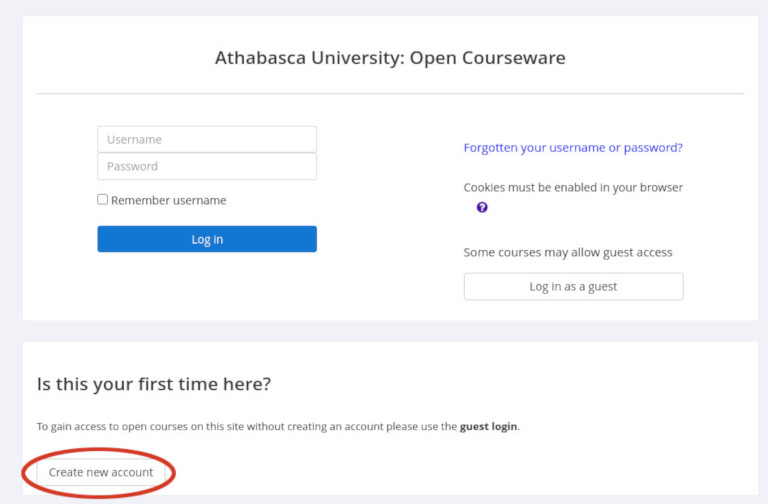
- Click on course link above; the following window should open. Click on Create new account:
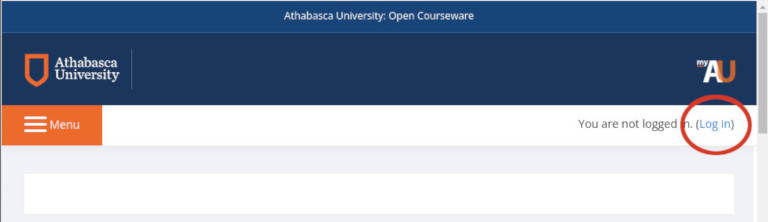
- If the above page does not open, try using the Log in option in the top right hand corner of the page:
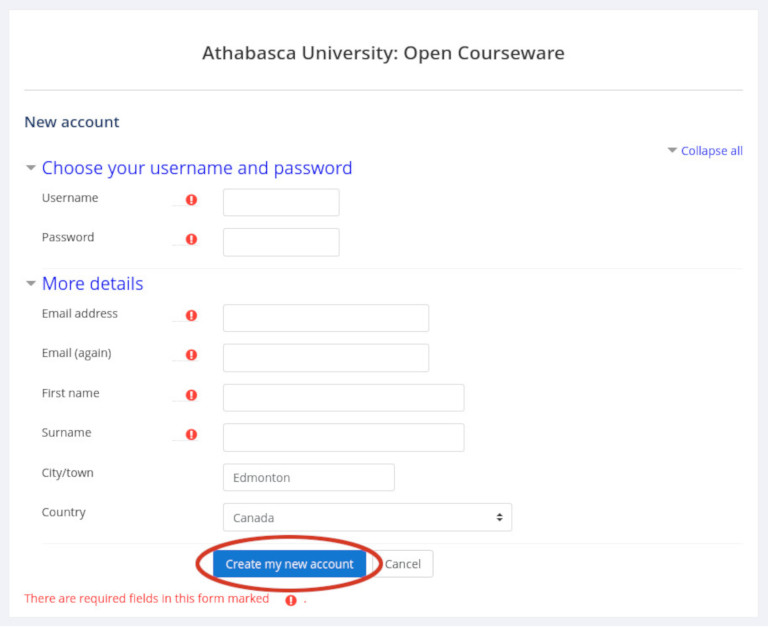
- Complete the following form and click on Create my new account:
- After creating an account, a page will open notifying you that an email was sent to you.
- Go to your email account and check for Admin User (via OCW email). Check your junk and/or clutter folders if this email is not in your inbox.
- Click on the link provided in the email to confirm your account. You will be sent to a web page advising you that your registration is confirmed. Click on the Continue button to open the course.
UNESCO's Media and Information Literacy for Inclusive and Better Futures for Educators and Learners
How to login as a guest
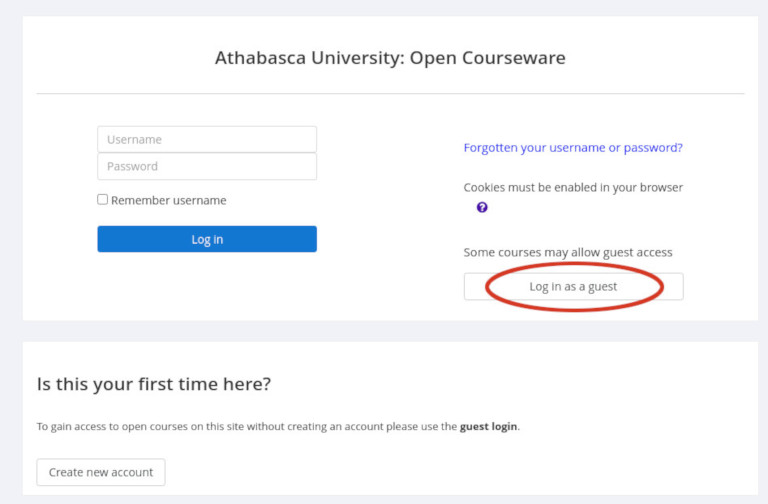
Click on course link above; the following window should open. Click on Log in as a guest and you will be taken to the course
home page: